Long waiting-room queues, unanswered phone calls, and double-booked slots are still everyday problems in healthcare. Patients want to find a doctor and book a visit in seconds, while clinics want fewer no-shows and less paperwork. A doctor appointment app solves both problems at once. In this guide, you will learn what these apps do, which features matter, how the development process works, what it costs, and how to avoid the most common mistakes.
Why Doctor Appointment Apps Are in Demand
Smartphones have changed how people discover and use healthcare. Patients now expect the same convenience from a clinic that they get when ordering food or booking a cab. At the same time, healthcare providers are under pressure to improve efficiency, reduce operating costs, and offer a better patient experience. Digital scheduling sits right at the centre of that shift.
Benefits for Patients
- Book, reschedule or cancel appointments 24/7 without calling the clinic
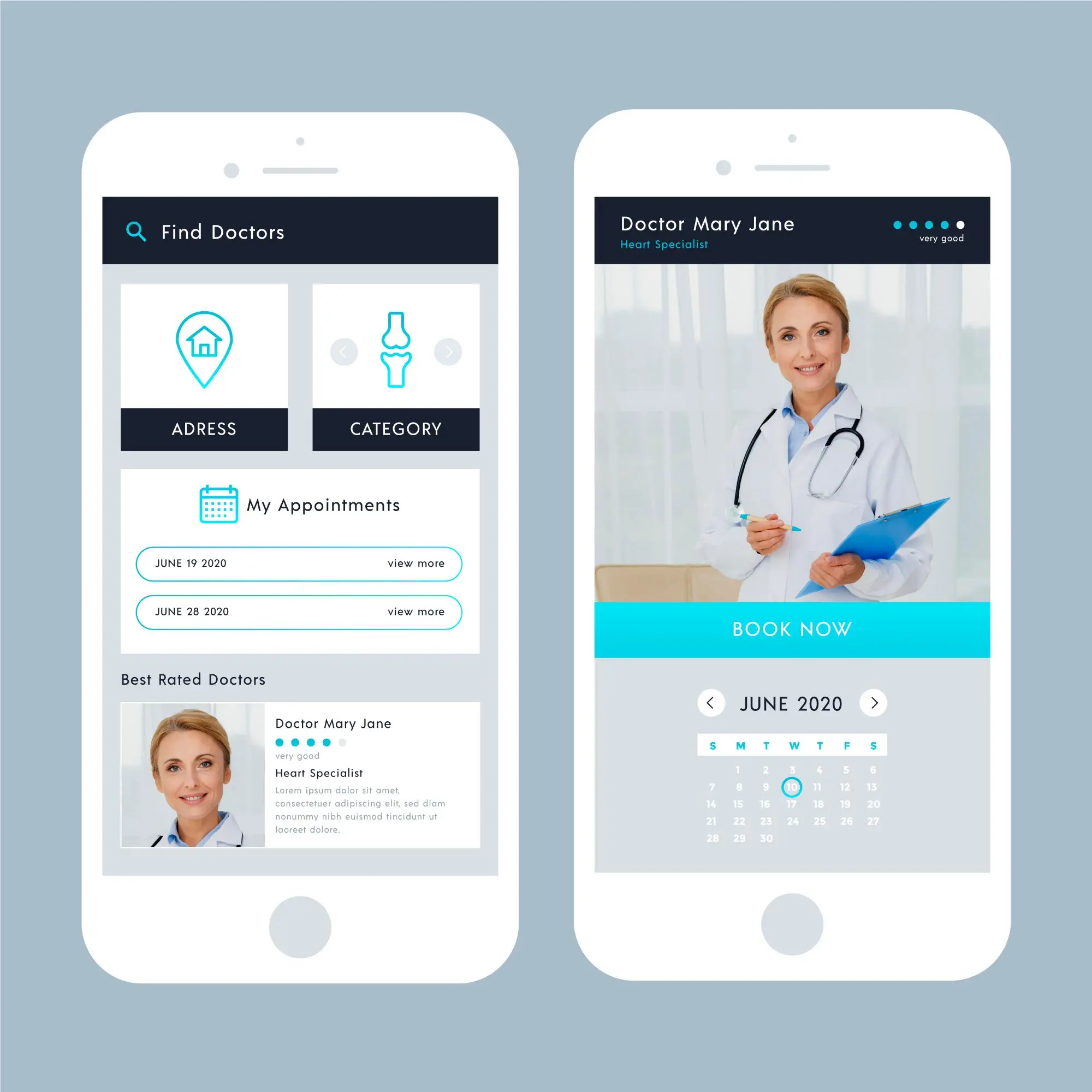
- Search doctors by specialty, location, experience, ratings and availability
- Receive automatic reminders so visits are not forgotten
- Access digital prescriptions, reports and visit history in one place
- Consult online through video or chat when an in-person visit is not needed
Benefits for Doctors and Clinics
- Fewer no-shows and last-minute cancellations through automated reminders
- Better schedule management and a lighter front-desk workload
- Digital patient records and faster, trackable payments
- A wider reach and a stronger online presence
- Useful data on peak hours, popular services and patient behaviour
Types of Doctor Appointment Apps
Before you start building, decide which model fits your business. The type of app shapes your features, budget and timeline.
Single-Doctor or Clinic Apps
Built for one practice, these apps focus on scheduling, patient profiles, reminders and basic billing. They are the quickest and most affordable to build.
Multi-Specialty Hospital Apps
These handle many departments, doctors, rooms, and services at once. They typically need integration with hospital management systems, electronic health records (EHR), and billing tools.
Marketplace or Aggregator Apps
These connect many independent doctors with patients, much like a healthcare marketplace. They require strong search and filtering, reviews, doctor verification and payment splitting, so the build is more complex.
Telemedicine-First Apps
Here, the video consultation is the core product. Booking, secure video calls, chat, and e-prescriptions all need to work seamlessly together.
Must-Have Features of a Doctor Appointment App
A good app works for three groups of users: patients, doctors, and administrators. Each needs its own set of tools.
Patient App Features
- Quick registration through OTP, email, or social login
- Doctor search with filters for specialty, location, fees, and language
- Real-time slot booking with calendar sync
- Secure in-app payments and downloadable invoices
- Push, SMS, and email notifications
- Appointment history, medical records and prescriptions
- Ratings and reviews for doctors and clinics
Doctor App Features
- Availability and slot management, including breaks and leaves
- Appointment approval, rescheduling and cancellation
- Patient history, visit notes and attachments
- E-prescription generation
- Earnings dashboard and payout tracking
Admin Panel Features
- Doctor onboarding, document verification and approval
- Appointment and payment monitoring
- Analytics, reports and revenue insights
- Commission, coupon, and content management
- User support and dispute handling
Advanced Features Worth Considering
- Video consultation (telemedicine) with secure streaming
- AI-based doctor recommendations and symptom checkers
- Multilingual support to reach a wider audience
- Insurance verification and claim support
- Integration with wearables, labs and pharmacies
- Waitlists that automatically fill cancelled slots
Doctor Appointment App Development Process
A structured process keeps the project on time and on budget. Here is how experienced teams approach it.
1. Discovery and Planning
Start by defining your target audience, business model and goals. Study competitors, list user pain points and decide on a clear feature set for the first release. A focused plan prevents scope creep later.
2. UI/UX Design
Healthcare users range from tech-savvy young adults to senior citizens, so the interface must be simple, accessible and fast. Fewer taps to complete a booking means more completed bookings. Wireframes and clickable prototypes help you test the flow before development begins.
3. Choosing the Right Tech Stack
- Mobile: Flutter or React Native for cross-platform apps; Swift and Kotlin for native performance
- Backend: Node.js, Python or Laravel
- Database: PostgreSQL or MongoDB
- Cloud: AWS, Google Cloud or Azure
- Integrations: Payment gateways, Twilio or Agora for video, Firebase for notifications
4. MVP Development
Build the minimum viable product first: registration, doctor search, slot booking, notifications and a basic admin panel. Launching a lean version lets you gather real feedback before investing in advanced features.
5. Integration and Advanced Features
After the core flow is stable, add payments, chat, video consultation, EHR integration and analytics. Developing in sprints makes each addition easier to test.
6. Testing
Thorough testing covers functionality, performance, security and device compatibility. Pay special attention to booking logic, such as overlapping slots, time zones and simultaneous bookings.
7. Launch and Maintenance
Release the app on the App Store and Google Play, monitor user behaviour and fix bugs quickly. Regular updates, security patches and feature improvements keep the product competitive.
Compliance and Data Security
Healthcare data is among the most sensitive information a business can handle. Depending on your market, your app may need to follow HIPAA, GDPR or local data protection laws. Treat compliance as a design requirement, not an afterthought.
Security Essentials
- End-to-end encryption for data in transit and at rest
- Role-based access control for patients, doctors and staff
- Secure authentication, including two-factor options
- Audit logs that track who accessed what and when
- Regular vulnerability scans and penetration testing
Clear consent screens and a transparent privacy policy also build trust with users.
How Much Does It Cost?
The price of a doctor appointment app depends on the number of features, platforms, design complexity, third-party integrations and the team you hire. As a rough guide:
- MVP (basic booking, profiles, notifications): 15,000–30,000
- Mid-level app (payments, chat, admin panel): 30,000–60,000
- Advanced app (telemedicine, AI, EHR integration): 60,000–120,000+
Remember to budget for ongoing costs too: cloud hosting, third-party services, support and maintenance, which typically run 15–20% of the initial build cost each year. For a detailed breakdown by feature and development stage, read our guide on the cost to build a doctor appointment app and plan your budget before development begins.
Ways to Control Development Costs
- Launch with an MVP and expand based on user feedback
- Choose cross-platform development instead of building two separate apps
- Use proven third-party services for payments, video, and notifications
- Keep requirements clear to avoid costly mid-project changes
- Work with a development partner that has healthcare experience
Monetization Models
A great app also needs a clear revenue plan. Popular options include:
Commission per Booking
Charge a small percentage on each appointment made through the platform.
Subscription Plans for Doctors
Offer monthly or yearly plans that include profile promotion, analytics, and priority listing.
Telemedicine Fees
Take a fee or share of revenue from every video consultation.
Featured Listings and Advertising
Let clinics and healthcare brands pay for premium visibility.
Common Challenges and How to Solve Them
Managing Real-Time Availability
Use a reliable scheduling engine with slot locking so that two patients cannot book the same time. Sync with doctors' personal calendars to avoid conflicts.
Reducing No-Shows
Send reminders through SMS, push, and email, and make rescheduling effortless. Some platforms also use small cancellation fees or prepayment.
Driving Adoption
Onboard doctors first, because patients follow where doctors are. Offer a smooth experience, referral rewards, and local marketing to build momentum.
Keeping Data Safe
Follow compliance standards from day one, and choose infrastructure and partners with proven healthcare security practices.
Supporting Non-Technical Users
Offer simple navigation, large readable text, regional language options and phone support for users who struggle with apps.
Why Choose Hybridplus Infotech?
Hybridplus Infotech is a mobile and web development company that builds healthcare solutions around real clinical workflows. From idea validation and UI/UX design to development, compliance and post-launch support, the team delivers scalable, secure and user-friendly apps. Whether you are a single clinic, a growing hospital network or a startup building a marketplace, you get a partner that understands both technology and healthcare. If you want a ready-to-customize foundation, explore our Doctor Booking App Development Solution to launch faster and keep costs under control.
Final Thoughts
A well-built doctor appointment app improves the patient experience, reduces administrative load and opens new revenue streams for healthcare providers. The key is to start with a focused MVP, prioritize usability and security, and scale based on real user feedback. With the right strategy and an experienced development partner, you can turn your idea into a platform that patients and doctors trust and use every day.
Frequently Asked Questions
1. How long does it take to develop a doctor appointment app?
An MVP usually takes 2–4 months. A full-featured app with telemedicine, AI and integrations can take 6–9 months, depending on complexity.
2. Which platform should I build for first?
If your budget is limited, start with a cross-platform framework such as Flutter or React Native to cover both Android and iOS with a single codebase. Choose native development if you need maximum performance or platform-specific features.
3. Can I add video consultation later?
Yes. Many businesses launch with booking first and add telemedicine in a later phase. Just make sure the architecture is built to scale so the new feature fits in smoothly.
4. How do doctor appointment apps make money?
Common models include commission per booking, subscription plans for doctors, featured listings, telemedicine fees and in-app advertising.
5. Is a doctor appointment app secure for patient data?
It can be, when it is built with encryption, secure authentication, access controls and compliance with regulations such as HIPAA or GDPR. Regular security audits are also important.
6. Do I need an admin panel?
Yes. It lets you manage doctors, appointments, payments, users and reports from one place, and it is essential for running a marketplace.
7. Can the app integrate with existing hospital software?
Yes. With the right APIs, an appointment app can connect to EHR, billing, lab and pharmacy systems so data flows without manual entry.