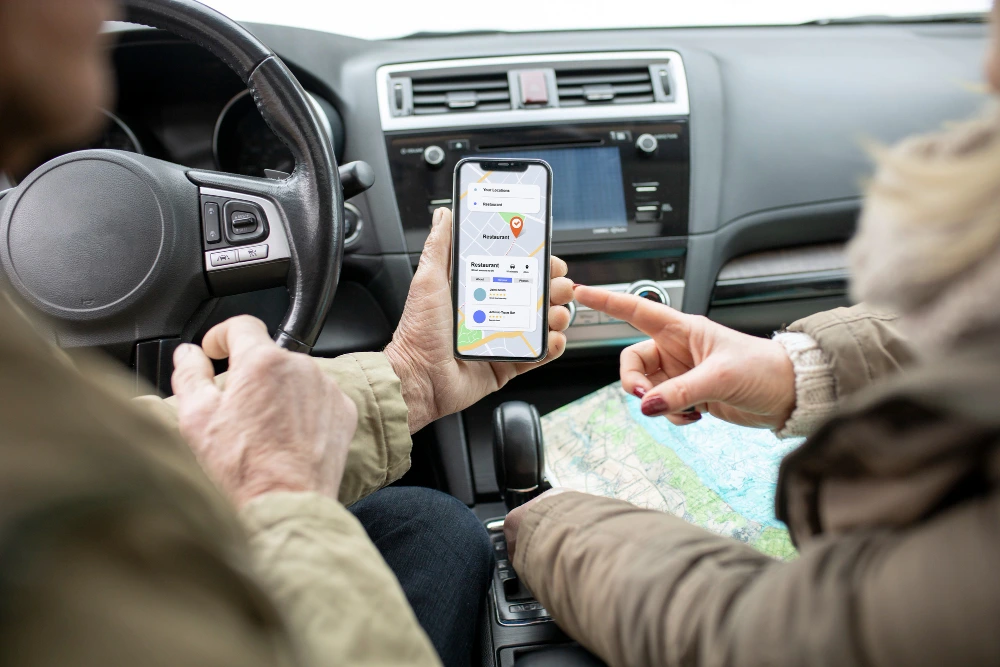
A rental car booking app lets customers find, compare, book, and pay for a vehicle in under two minutes, while giving fleet owners one place to manage cars, pricing, and bookings. Travelers now expect that speed: they would rather tap through an app than queue at a counter or phone a branch.
For entrepreneurs, car rental companies and travel startups, this shift is an opening. A well-built app cuts manual work, reduces no-shows, and opens a direct sales channel that does not depend on aggregators taking 15–25% commission.
Why Build a Rental Car Booking App?
Demand is shifting to digital-first booking, and owning the customer relationship is where the margin is. An app gives you repeat customers, first-party data, and control over pricing.
Choose Your Business Model
Your model shapes every feature and cost decision, so settle it first:
- Fleet-owned model: You own the cars and rent them out directly, like a traditional rental company going digital.
- Peer-to-peer marketplace: Private owners list their cars, and you earn a commission, similar to Turo or Zoomcar.
- Aggregator model: You list inventory from several rental agencies and earn per booking.
- Chauffeur and subscription hybrids: Add driver-on-demand or monthly car subscriptions for corporate and long-stay users.
Pick Your Audience and Niche
Generic apps struggle against established players. Narrow your focus: airport transfers, luxury and wedding cars, self-drive tourism, or electric vehicle rentals. A clear niche sharpens your features, your marketing and your first 1,000 bookings.
Must-Have Features of a Rental Car Booking App
A rental platform is really three products in one: a customer app, an admin panel and, for marketplaces, an owner or fleet manager panel.
Customer App Features
- Sign-up and verification: Email, phone OTP or social login, plus driving licence upload and ID checks.
- Search and filters: Location, dates, car type, transmission, fuel, seats and price range.
- Vehicle details: Photos, specs, mileage policy, insurance cover and reviews.
- Real-time availability and booking: Live calendar sync to prevent double bookings.
- Secure payments: Cards, UPI, wallets, security deposits and automatic refunds.
- Notifications: Booking confirmations, pickup reminders, and return alerts.
- Ratings and support: In-app chat, reviews and 24/7 help.
Admin Panel Features
- Dashboard with bookings, revenue, and fleet utilisation
- Vehicle, pricing and promo code management
- User, owner and document verification workflows
- Commission, payout and invoice management
- Reports, dispute handling and content controls
Advanced Features That Set You Apart
- Keyless entry and IoT: Unlock cars from the phone using telematics hardware.
- GPS tracking and geofencing: Monitor vehicles and flag out-of-zone use.
- Dynamic pricing: Adjust rates by demand, season, and events.
- AI recommendations: Suggest the right car based on trip type and past bookings.
- Damage inspection: Photo-based check-in and check-out reports.
Step-by-Step Process to Build a Rental Car Booking App
A disciplined process keeps scope, budget, and quality under control.
Step 1: Research the Market and Define the Scope
Study competitors, read their app store reviews, and note what users complain about. Define your target city or region, business model, and the features for a first release.
Step 2: Plan an MVP
Launch with the core loop only: search, book, pay, pick up, return, and review. Save keyless entry and AI pricing for later releases. An MVP reaches the market faster and lets real bookings guide your roadmap.
Step 3: Design the UX and UI
Booking should take as few taps as possible. Create wireframes, then clickable prototypes, and test them with real users. Pay special attention to the search results screen, the checkout flow, and the document upload steps, where most drop-offs happen.
Step 4: Select the Tech Stack and Architecture
Choose technologies that scale. A modular backend with APIs for bookings, payments, pricing and notifications lets you add features without rewrites. Cloud hosting handles traffic spikes during holidays.
Step 5: Develop the App and Admin Panel
Build in two-week sprints with demos at the end of each. Develop the customer apps, the admin dashboard and the backend in parallel, and integrate third-party services such as maps, payment gateways and SMS.
Step 6: Test Thoroughly
Run functional, performance, security and device-compatibility tests. Simulate edge cases: overlapping bookings, failed payments, late returns and poor network conditions.
Step 7: Launch and Iterate
Release in one city first. Track booking conversion, cancellation rate and fleet utilisation, then improve based on the data. Regular updates keep users engaged and the product competitive.
Recommended Tech Stack, Cost and Timeline
Tech Stack
- Mobile apps: Flutter or React Native for iOS and Android from one codebase; native Swift and Kotlin for maximum performance.
- Backend: Node.js, Python (Django) or Laravel with REST or GraphQL APIs.
- Database: PostgreSQL or MySQL for bookings, with Redis for caching availability.
- Admin web panel: React or Angular.
- Integrations: Google Maps, Stripe, Razorpay or PayPal, Twilio or Firebase for OTP and push notifications, and a KYC provider for licence checks.
- Cloud: AWS, Google Cloud or Azure with auto-scaling and automated backups.
Cost and Timeline
The cost to build a car booking app depends on features, platforms, team location, and integrations. The figures below are approximate planning ranges, not a quote.
|
Scope |
Approx. timeline |
Approx. cost (USD) |
|
MVP (core booking, payments, basic admin) |
3–5 months |
25,000–45,000 |
|
Mid-level app (verification, promos, chat, reports) |
5–8 months |
45,000–80,000 |
|
Advanced app (IoT, dynamic pricing, AI, multi-city) |
8–12 months |
80,000–150,000+ |
Budget an extra 15–20% each year for maintenance, hosting, third-party fees and updates.
Why Partner With HybridPlus Infotech?
HybridPlus Infotech is a car booking app development company that builds mobile and web products for travel, mobility and on-demand businesses. For a rental car booking app, our team brings:
- Product consulting to define your model, niche, and MVP scope
- UI/UX design focused on fast, low-friction booking
- Cross-platform and native app development with scalable backends
- Payment, maps, KYC, and telematics integrations
- Quality assurance, launch support, and ongoing maintenance
We work in transparent sprints, so you see progress every two weeks and keep control of scope and budget.
Conclusion
A successful rental car booking app starts with a clear business model, a focused MVP and a smooth booking experience, then grows through data and steady iteration. Start small, launch in one market, and expand features as demand proves out. If you are ready to turn your idea into a working product, HybridPlus Infotech, a car booking app development company, can help you plan, price, and build it.
Frequently Asked Questions
1. How much does it cost to build a rental car booking app?
An MVP typically costs 25,000–45,000, while a feature-rich platform can exceed $150,000. Final cost depends on features, platforms, integrations, and the development team.
2. How long does development take?
An MVP takes about 3–5 months. A full-featured app with IoT, dynamic pricing, and multi-city support can take 8–12 months.
3. How do rental car apps make money?
Common revenue streams are rental fees, marketplace commissions, delivery and service fees, insurance add-ons, premium listings, subscriptions, and in-app advertising.
4. Should I build for iOS, Android, or both?
Most businesses launch on both using a cross-platform framework such as Flutter or React Native. This keeps costs lower than building two native apps.
5. Can I integrate GPS tracking and keyless entry?
Yes. Both work through telematics devices and their APIs. They are usually added after the MVP, once bookings are steady.
6. How do I prevent fraud and handle damage claims?
Verify driving licences and IDs, collect security deposits, and require photo inspections at pickup and return. Pair this with clear insurance terms.
7. Can HybridPlus Infotech build a custom rental app for my business?
Yes. We design, develop, launch, and maintain custom rental platforms tailored to your model, fleet size, and market.